Jul 21, 2026-Reviews
Directify Review - The Directory Website Builder, Tested Hands-On
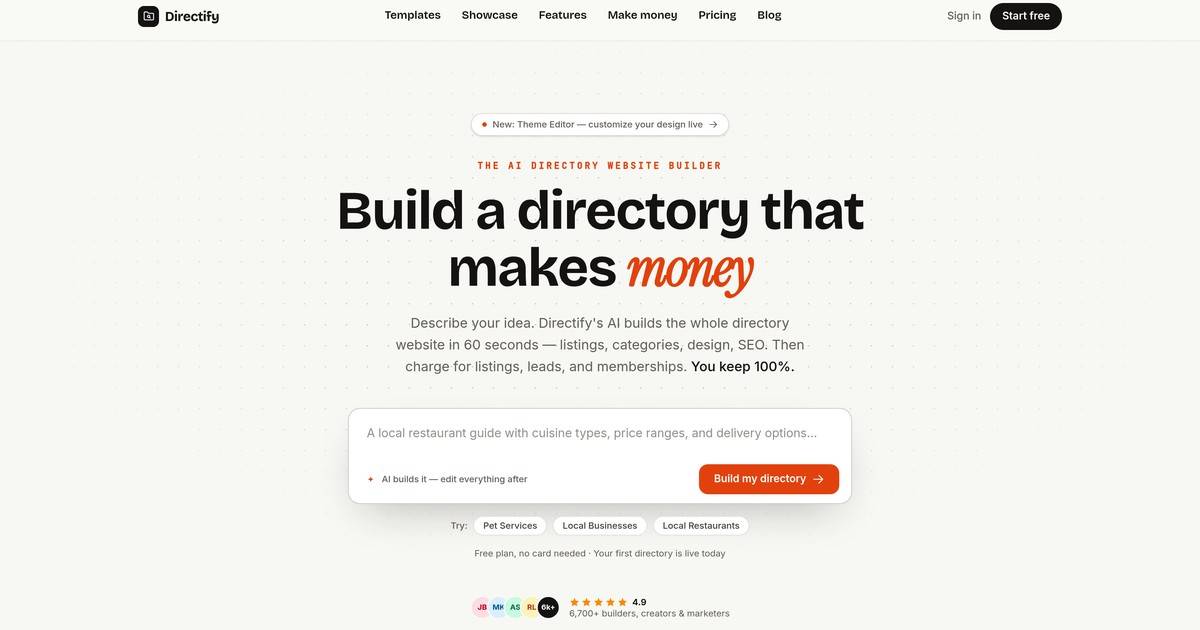
We've tested Directify, an AI directory website builder that generates a full listings site in about a minute and then lets you charge for listings, leads and memberships while keeping 100% of the revenue.
Welcome to this Directify review ✨
Building a directory website used to be a project. You'd wire up a CMS, fight a listings plugin, bolt on a payment gateway, and spend a weekend on the SEO plumbing before a single business could pay you to appear. Most people give up somewhere around the payment gateway. That's the whole reason "how to make a directory website" is a question people still type into Google.
Directify wants to collapse that weekend into a sentence. It's an AI-powered, no-code directory website builder: you describe the directory you want, its AI assembles the categories, custom fields, sample listings, design and SEO, and you get a live site in about a minute. Then it hands you the part that actually matters for a directory, the money side: paid listings, featured upgrades, lead collection, banner ads, all running through your own payment account.
I spent a good while inside it. The founder specifically wanted me to look at the niche templates, the Shopify-style Theme Editor, the built-in monetisation, the public submission and self-service portal, and the SEO and data-import features. So I built a real directory from scratch, poked at every one of those, and I'll tell you where it genuinely impressed me and where it didn't.
Getting started: a directory in about a minute
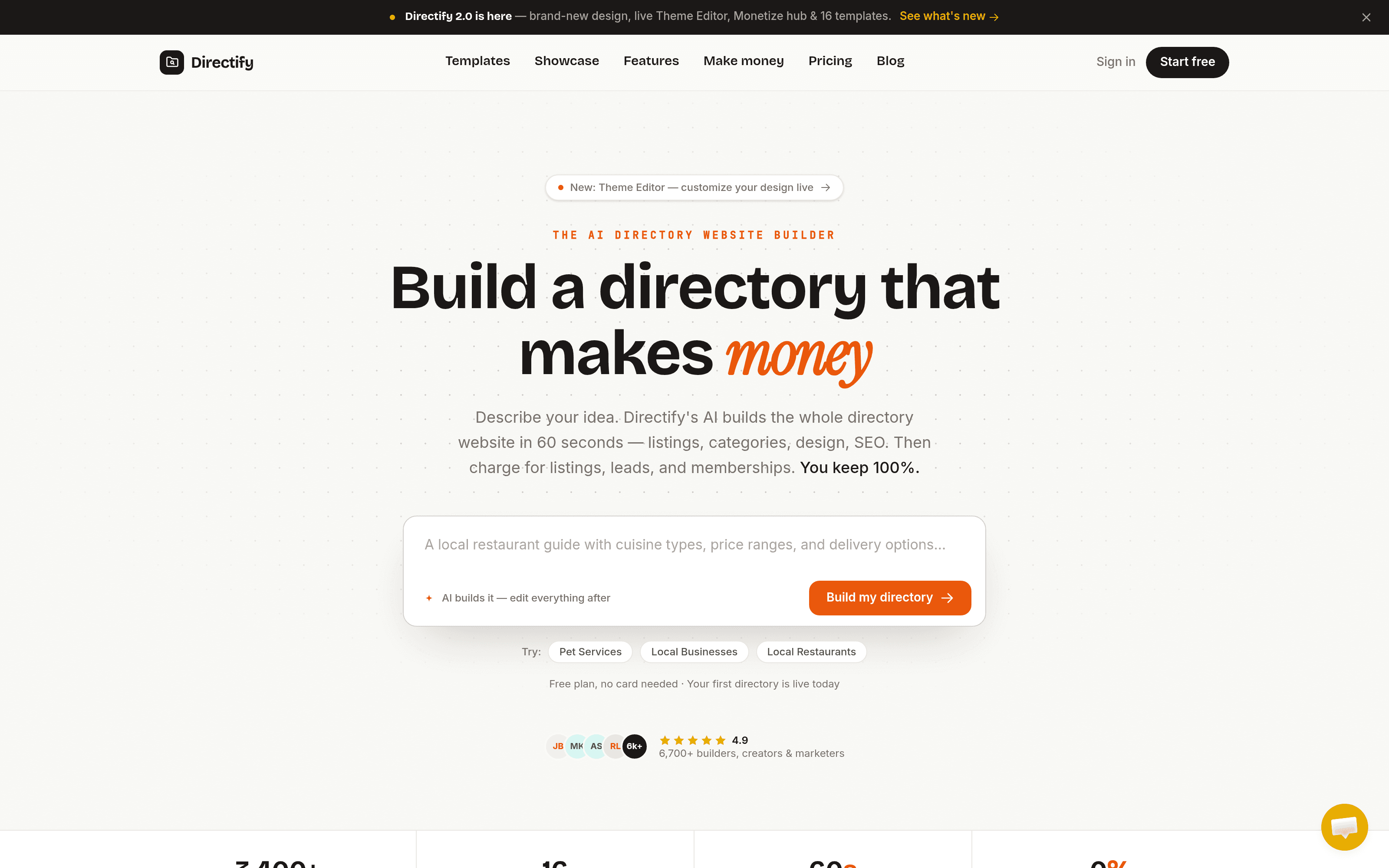
Directify's onboarding is a single text box: "What's your directory about?" I typed "A directory of indie coffee roasters across Europe, with tasting notes, roast level, price per bag, and where to buy online" and hit Create my directory.
What happens next is the part that sells the product. A five-step progress bar runs through generating categories and tags, creating custom fields, and adding sample listings. About a minute later I got a confetti screen: "European Coffee Roasters, created with 5 fields, 8 categories, 8 tags, 5 listings." It had named the directory itself, and, crucially, the five custom fields it invented covered what I'd asked for in plain English, including tasting notes, roast level and price per bag.
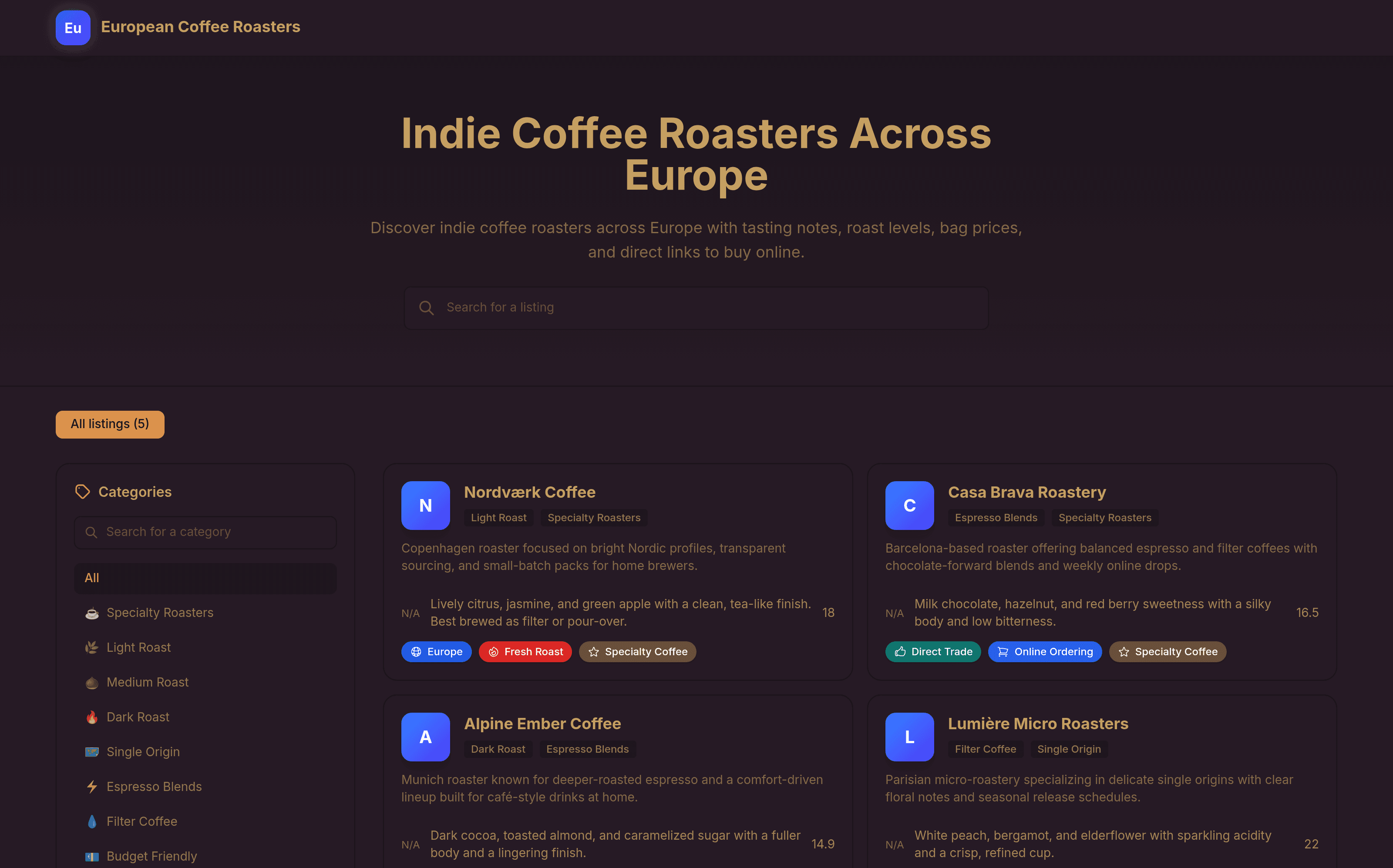
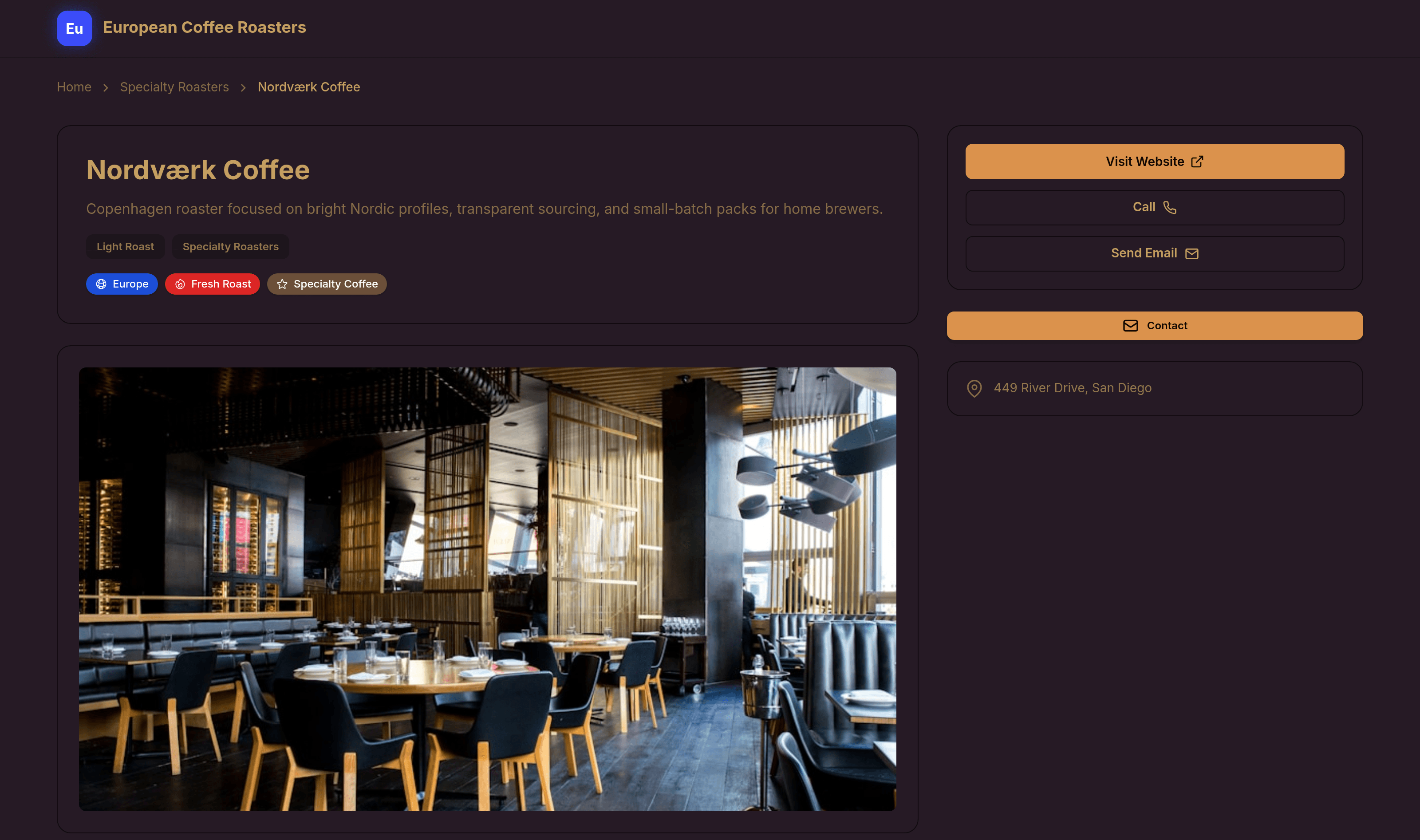
The generated listings weren't lorem-ipsum filler either. "Nordværk Coffee" came described as a "Copenhagen roaster focused on bright Nordic profiles, transparent sourcing, and small-batch packs for home brewers," tagged Light Roast, with a tasting note reading "Lively citrus, jasmine, and green apple with a clean, tea-like finish. Best brewed as filter or pour-over." "Casa Brava Roastery" was a plausible Barcelona espresso house. Five of these, each on a full listing page with breadcrumbs, a clean URL (/listings/nordvaerk-coffee/), a hero image, contact buttons and a sidebar. It's a real, browsable site, live on a directify.page subdomain the moment it finishes.
One honest note, and Directify is upfront about it too: the dashboard flags that "AI-generated listings have placeholder contact info: edit or delete them before going public." The sample sites use example.com URLs and stand-in addresses. The AI gives you a fully-formed skeleton and a head start on tone, not real data. That's the correct expectation to set.
Niche templates that actually fit the niche
This is where Directify separates itself from generic site builders. It isn't one directory layout with a colour swap. When I opened the template picker I got more than a dozen designs, each built around how a specific niche actually behaves (the marketing site puts the number at sixteen).
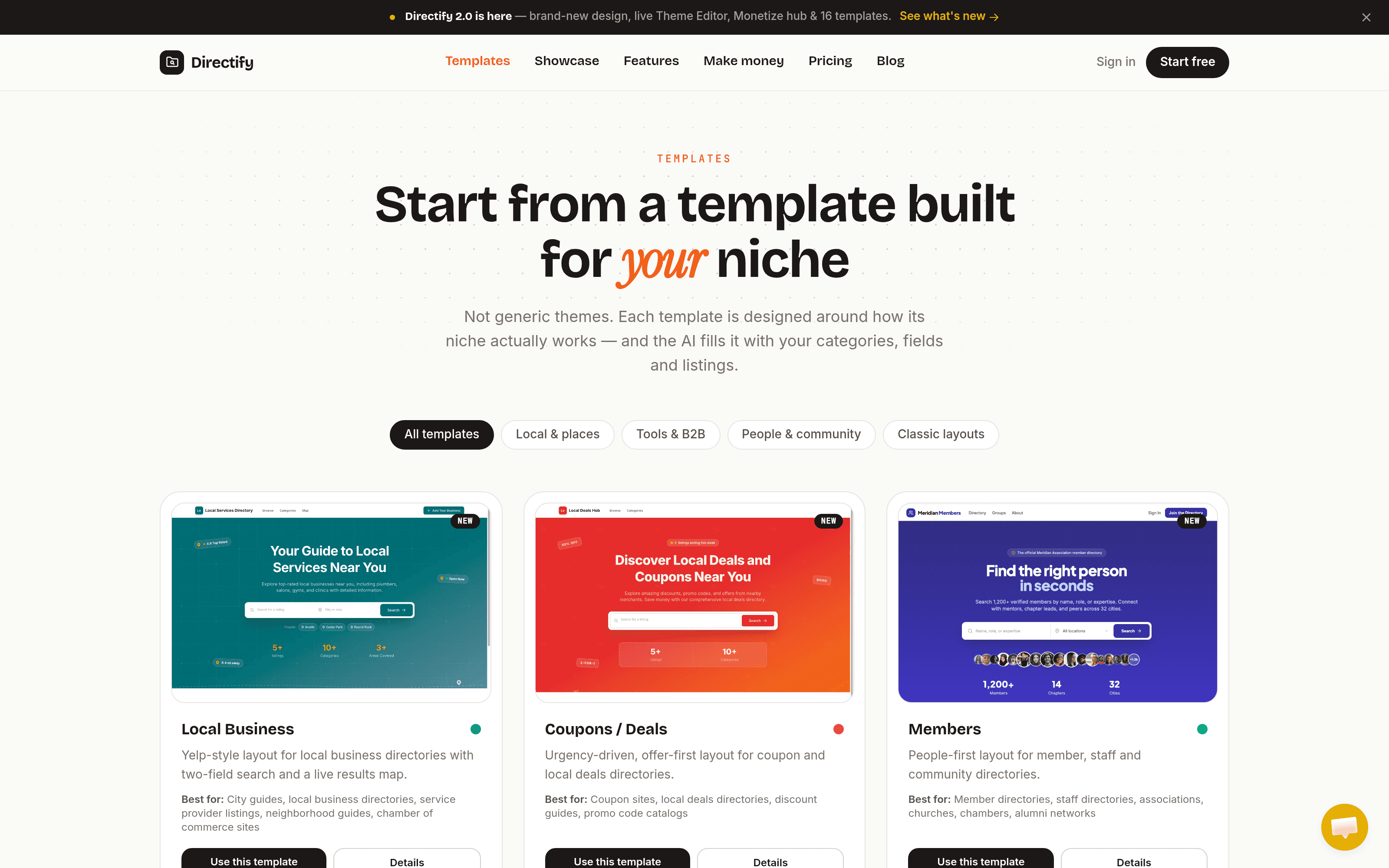
The distinctions are real, not cosmetic. The Local Business template is a Yelp-style layout with two-field search and a live results map. Coupons / Deals is "urgency-driven, offer-first." Members is a people-first layout for community and staff directories. Events leads with dates, Weddings is an editorial, gold-accented gallery layout, Restaurant is warm and cuisine-first, Real Estate is a clean property grid, and SaaS / Tools is an information-dense layout for software directories. There are also general-purpose designs (Aurora, Stellar, Default) for anything that doesn't fit a preset. My coffee directory was auto-assigned the Stellar template with a sidebar-filter layout, which was a sensible pick.
The point isn't that there are a lot of templates. It's that a wedding directory and a job board genuinely need different homepages, and Directify ships those differences instead of making you rebuild them.
The Theme Editor: a live, Shopify-style editor
The founder was keen for me to test the Theme Editor, and it's the right thing to be proud of. It's a live editor in the mould of Shopify's: a control panel on the left, a real-time preview of your actual site on the right, and a desktop / tablet / mobile toggle up top. Every change renders instantly on your own content, and there's a "Save / All changes saved" state so you always know where you stand.
You get two top-level switches, Template and Color Theme, each opening a gallery. The colour themes are the standout: there's a palette for practically any mood, from Dark, Corporate and Business to Synthwave, Dracula, Cyberpunk, Coffee and Pastel, around thirty presets in all (mine defaulted to "Coffee," which was a nice touch of context-awareness). Below those sit editable sections for brand assets (logo, favicon, cover image, with sensible guidance like "600×160px PNG with a transparent background works best"), then typography, hero, homepage sections and footer. No CSS required, though custom code injection is there on the higher plans if you want it.
Two caveats worth stating. The Theme Editor still carries a "Beta" badge in the sidebar, so expect the occasional rough edge. And genuinely fine-grained, per-element design control isn't the goal here: you're composing from curated building blocks and palettes, not pushing pixels. For the target user that's a feature, not a limitation, but it's worth knowing going in.
Monetisation is the real product
Plenty of tools will build you a website. Directify's actual pitch is that a directory is a business, and it builds in the machinery to run one. The line it leads with in the Monetize hub is the important one: "Everything your directory has earned across paid submissions, you keep 100%." Directify takes no cut, and payments run through your account, not theirs.
Connecting a payment provider is the first step, and the options are broader than a single Stripe hookup. The provider dropdown offered Stripe, PayPal, Creem.io, Lemon Squeezy, and a Custom option for RazorPay, Paystack or any other payment link. For Stripe there's a genuinely thoughtful touch: you choose between Standard mode (you're the merchant of record and handle your own tax) and Managed Payments, where Stripe acts as merchant of record and handles VAT and sales tax compliance for you. Most directory builders don't think about tax at all; Directify at least surfaces the choice.
From there the monetisation surface is wide. You can sell paid listing plans, one-time or recurring, with submissions that publish automatically on payment and unpublish if a subscription lapses. You can turn on one-click listing upgrades: an upgrade card in every listing's sidebar that sends a buyer straight to checkout to grab a Featured or Verified badge, no account needed. There are banner ads and sponsorship placements, and a full public submission flow so businesses can add and pay for their own listings.
The cleverest piece, and the one I hadn't seen elsewhere, is Pay-Per-Lead. It masks the contact details on a listing until a business spends a prepaid credit to unlock them, and you sell those credits in packs through your own payment provider. As Directify puts it, "every listing with traffic becomes a lead product." A little dashboard tracks leads captured, paid unlocks, free unlocks and credits sold. It's a smart way to monetise a directory that businesses haven't claimed yet. Worth flagging honestly: pay-per-lead and automatic badge-granting need a webhook-capable provider (Stripe, Lemon Squeezy, Creem or PayPal); the plain custom payment-link option can't grant credits automatically.
Public submissions and a self-service portal
The submission side is more configurable than I expected. You can open public submissions, require owner approval before anything goes live, and, the nice bit, enable AI URL extraction, where a submitter pastes their website URL and the AI pre-fills the whole listing form from it (this one needs a Claude or OpenAI key connected). You can rename the form's badge, title and description, so it reads like part of your brand rather than a generic form.
Beyond submitting, visitors can claim an existing listing and manage it from their own dashboard, including billing and an inbox of leads: the classic directory playbook of importing real businesses, letting owners claim their page, then upselling a featured spot. In the admin listings table, entries with pending claims are highlighted so you can see them at a glance. Spam protection is invisible, with no CAPTCHAs to annoy legitimate submitters.
The wider product
A few more things worth knowing, briefly:
- SEO comes set up. Free hosting with SSL and a CDN, custom domains on paid plans, clean URLs, sitemaps, meta tags and structured data, plus auto-generated social share images and a built-in blog. It's the groundwork you'd otherwise assemble yourself.
- Search is fast and typo-tolerant across listings, out of the box.
- Getting data in and out is well covered: CSV import, two-way Google Sheets sync, a Chrome extension for clipping listings, and a full REST API with webhooks on the Growth plan and up. There's even an MCP server for AI agents, which is a forward-looking touch for a developer audience.
- AI content generation (listing descriptions, articles) is available on the Growth plan and above.
- Analytics are built in (visitors, top pages, referrers, devices), privacy-friendly, with no Google Analytics required.
Pricing & plans
Directify's pricing is a five-tier ladder, and one detail matters up front: every paid plan starts with a 7-day free trial that asks for a card, with billing beginning on day 8. The genuinely no-card option is the Free plan, which is a real plan rather than a teaser. Yearly billing knocks off two months (you pay for ten).
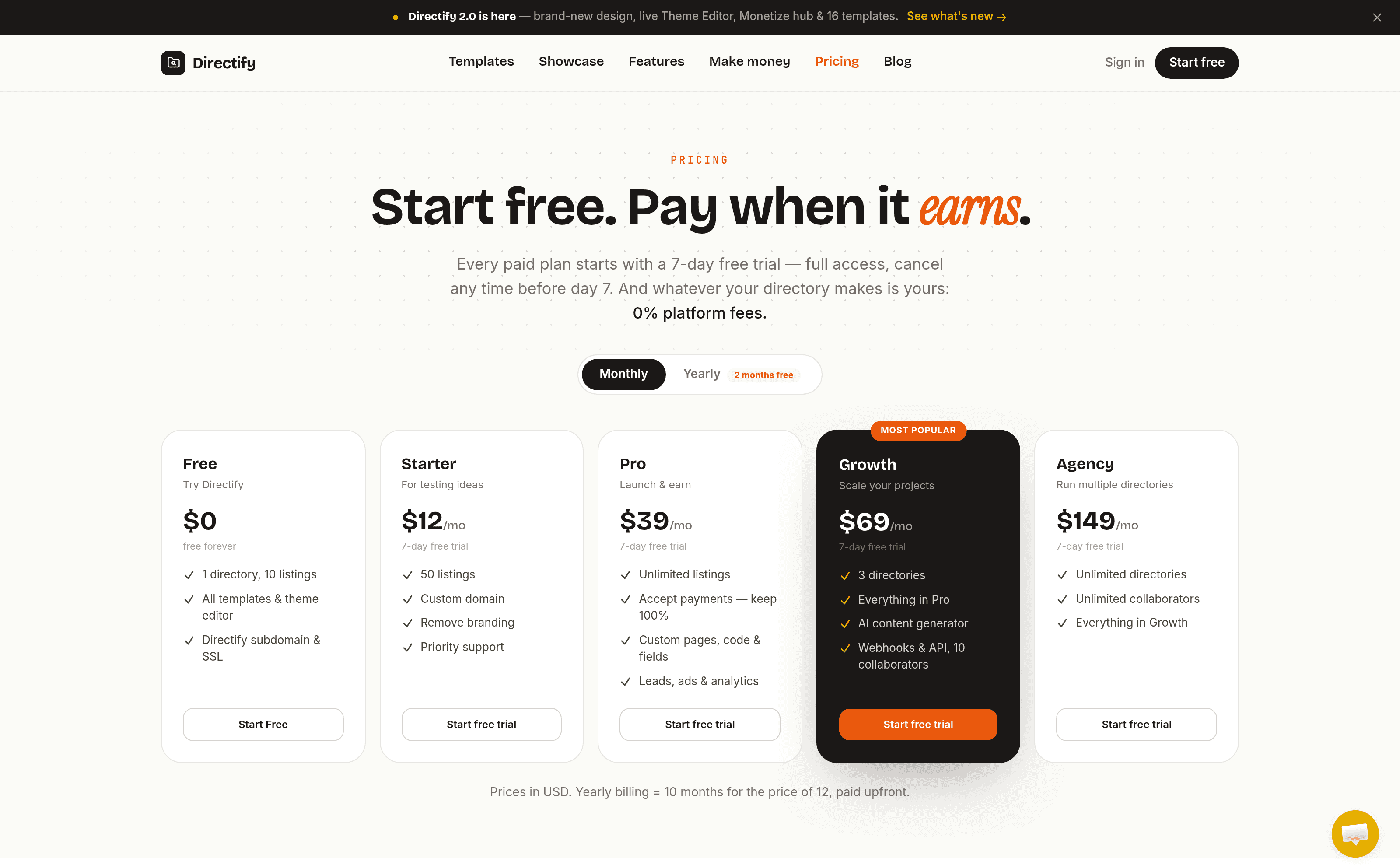
- Free: $0, forever. 1 directory, 10 listings, all templates and the Theme Editor, and a Directify subdomain with SSL. Enough to build the whole thing and see it live before you pay a cent.
- Starter: $12/mo. 50 listings, a custom domain, branding removal, and priority support.
- Pro: $39/mo. Unlimited listings, and this is the tier where the money-making unlocks: accept payments (keep 100%), custom pages and code, custom fields, plus leads, ads and analytics.
- Growth: $69/mo (most popular). Three directories, everything in Pro, the AI content generator, webhooks and the REST API, and up to 10 collaborators.
- Agency: $149/mo. Unlimited directories, unlimited collaborators, everything in Growth. There's a whitelabel Enterprise option above that by arrangement.
The one thing to internalise: the monetisation features that are Directify's headline pitch live on Pro and up. The Free and Starter tiers are for building and testing the directory itself; charging for listings starts at $39/mo. That's reasonable, but plan for it.
Who should use Directify?
It's a strong fit if you are:
- A maker or marketer who wants to spin up a niche directory as a side project or SEO play without touching code or a CMS.
- Someone with an audience or a community who wants to monetise a curated list (paid listings, featured spots, memberships or leads) and keep all of the revenue.
- A local-business, events, real-estate, jobs or SaaS directory operator who wants a layout built for that niche rather than a generic grid.
It's less of a fit if you need total, pixel-level design control over every element, or if your directory is really a bespoke web app with custom logic: you'll outgrow the building-block model. And if you're only ever going to run a tiny free list, the 10-listing Free cap will push you to a paid plan sooner than you might like.
Conclusion
That's the end of this Directify review. What impressed me most is that it takes the two hardest parts of running a directory (building the thing and getting paid) and makes both close to trivial. The AI build is a real head start rather than a gimmick, and the monetisation layer is deeper and more thoughtful than the "add a Stripe button" most builders stop at.
It's not magic: you'll replace the AI's placeholder data, the Theme Editor is still in beta, and the earning features start at the Pro tier. But for the vast majority of people who want a directory that makes money and don't want to build it by hand, it hits the target squarely.
What I liked:
- The AI genuinely builds a complete, live directory in about a minute, custom fields included, from one plain-English sentence.
- Templates are designed around real niches (local, events, weddings, jobs, SaaS), not just recoloured.
- A live, Shopify-style Theme Editor with ~30 curated palettes and a device preview, no CSS needed.
- Deep monetisation: paid listings, featured/verified upgrades, ads, and a standout pay-per-lead credit system, all through your own payment account.
- Broad payment support (Stripe, PayPal, Creem, Lemon Squeezy, custom) and thoughtful Stripe tax handling.
- SEO, typo-tolerant search, CSV/Google Sheets import, a REST API and even an MCP server come standard.
Things to keep in mind:
- AI-generated listings ship with placeholder contact info, so you must edit or replace them before going public.
- The Theme Editor still carries a "Beta" badge.
- Accepting payments requires the Pro plan ($39/mo); Free and Starter are for building, not earning.
- Custom domains start on the paid tiers, and the Free plan caps you at 10 listings.
- Automatic credit/badge granting needs a webhook-capable provider: the plain custom payment-link option can't do it.
If you've got a niche in mind and want it live before your coffee goes cold, Directify is well worth building your first directory on, since the Free plan lets you do exactly that without a card. And if you want to see the layouts before you start, the template library is the place to look.
Related Articles